

Gifted App Mockup
*
Gifted App Mockup *
Gifted App Mockup
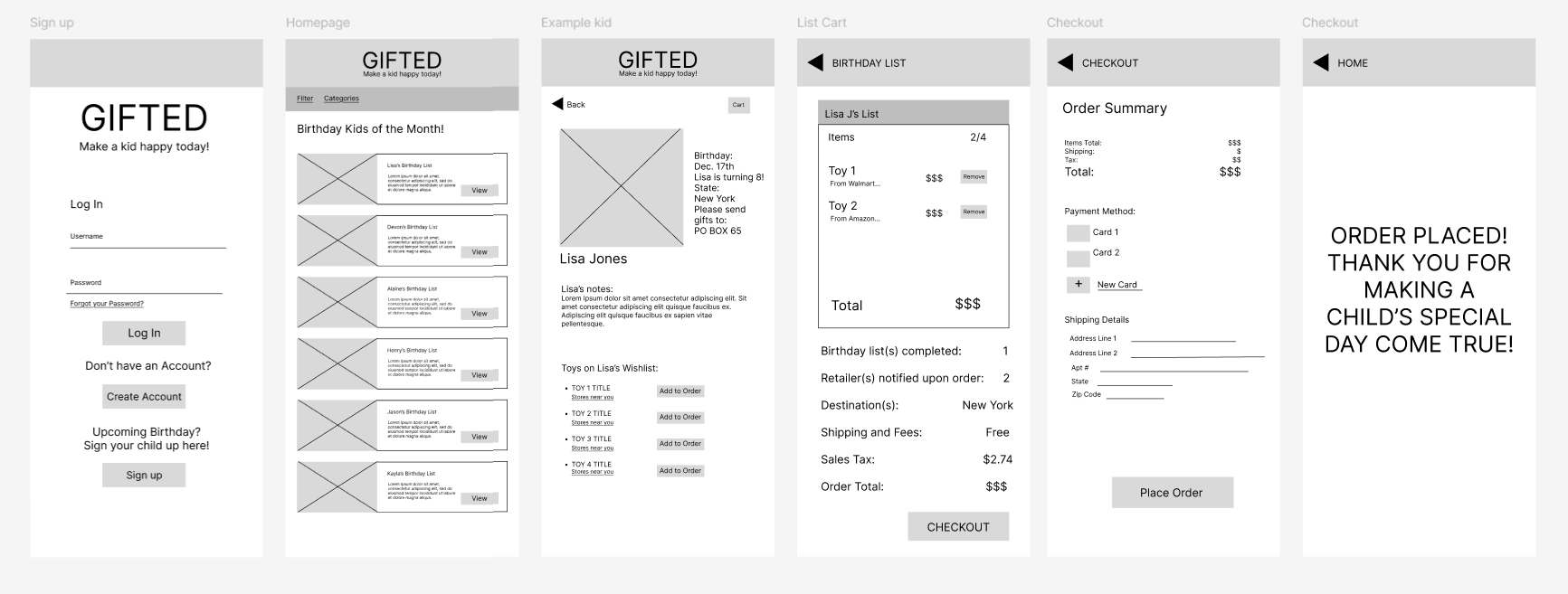
Gifted LO-FI Wireframe
For this project, I was to create a mockup of an app of our choice and write a data analysis for it. In my case, I chose to make an app called “Gifted.” Gifted is a platform where parents can make birthday “angel trees” for their kids. If they have a child’s birthday coming up, they can create a digital list to post on the app where other users called “Gifters” can buy said gifts for them. After the gifts are purchased, participating retailers can hold them there, or the gifter can send them directly to a PO Box not linked to the child’s address.
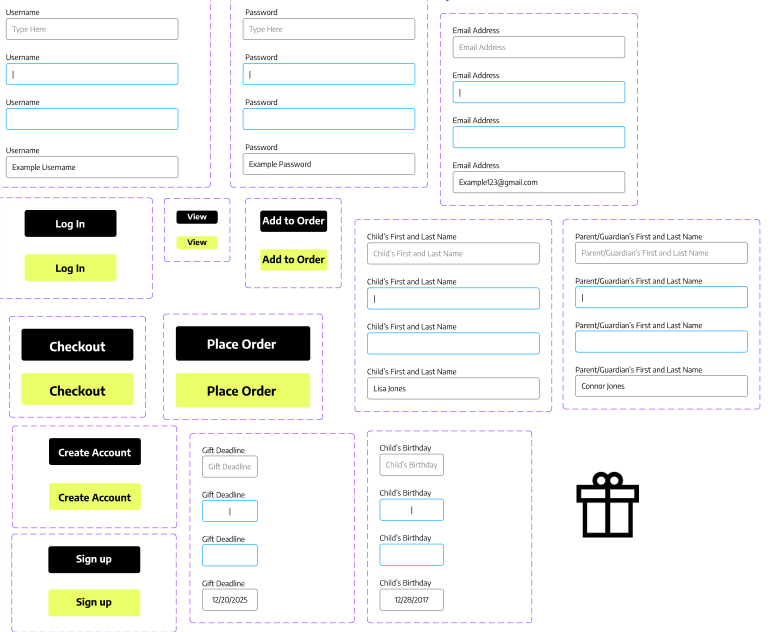
Gifted Sticker Sheet
The first thing to be done was to create a document detailing my targeted audience(s), what data I need from them, consumer personalization, how ads will be run, and how the app’s success will be measured.
The second thing that had to be done was the creation of brand colors, icons (which I acquired from Google Fonts), and overall brand image/vibe. I wanted to give the app a playful but inviting image. I chose ‘cool’ colors at ease but vibrant to appear gender-neutral, child-friendly, and to appeal to parents too.
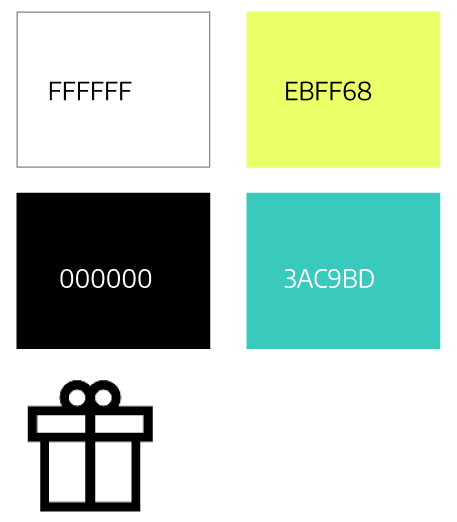
Gifted Hex Codes/Color Palette w/ Present Box from Google Fonts
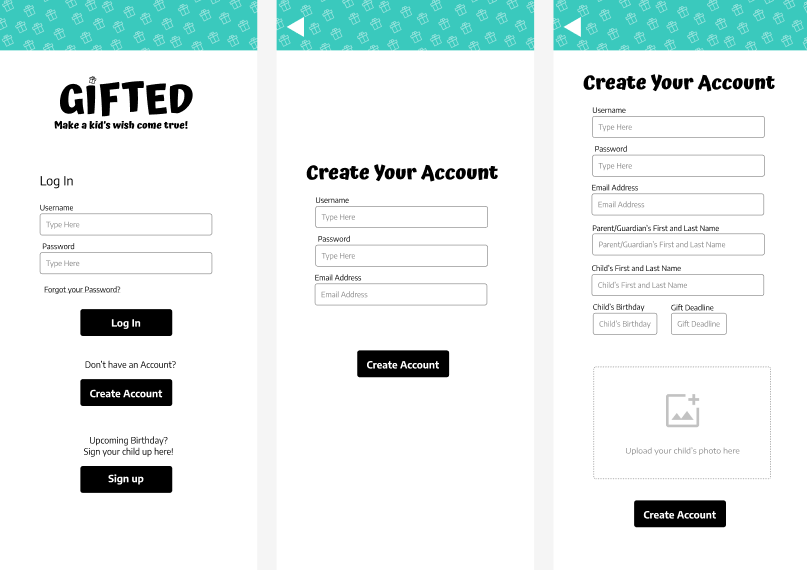
Final Userflow/Mockup, Part 1
For the top banner, I went for a repeating pattern as I thought leaving it blank would be too bland, but I kept the opacity low so as not to visually overwhelm the user. In the gifting page, I had also wanted to add the chartreuse
in a sub-banner for more visual interest. I wanted to take the whole purchasing process a little differently. Gifted is a solely online process for the user; there would be no physical location for them to pick up a tag like with Angel Trees. The user would purchase the item from whichever store has it available, and once purchased, the store would deliver it to the location the parent set as if it were a regular order on their own website (with a “gifted” tag, of course). Lastly, parents are not to use the child’s full name for the child’s safety.
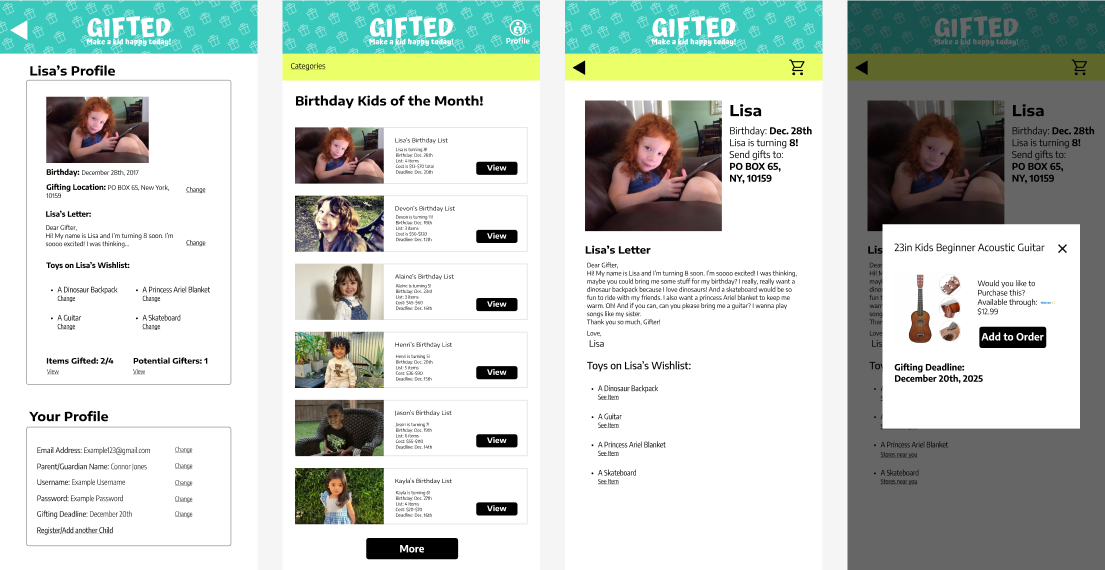
Final Userflow/Mockup, Part 2
In this project, I created two user flows, one for parents and one for gifters. In the parent user flow, they were to create an account and view their child’s profile(photos are optional for safety); Moreover, see if and who someone had gifted them. For the gifter user flow, the user creates an account, chooses a child’s profile, chooses items from the list and purchases them. Parent users are also able to participate in gifting, but that is not part of the current user flow. Despite the five-day time constraint, I had completed this project and consider it one of my more altruistic works that I’d like to bring to life should I gain the skills and means to do so in the future.